Instagram Profile Picture Size: 1080 x 1080, Circle Crop
Quick answer
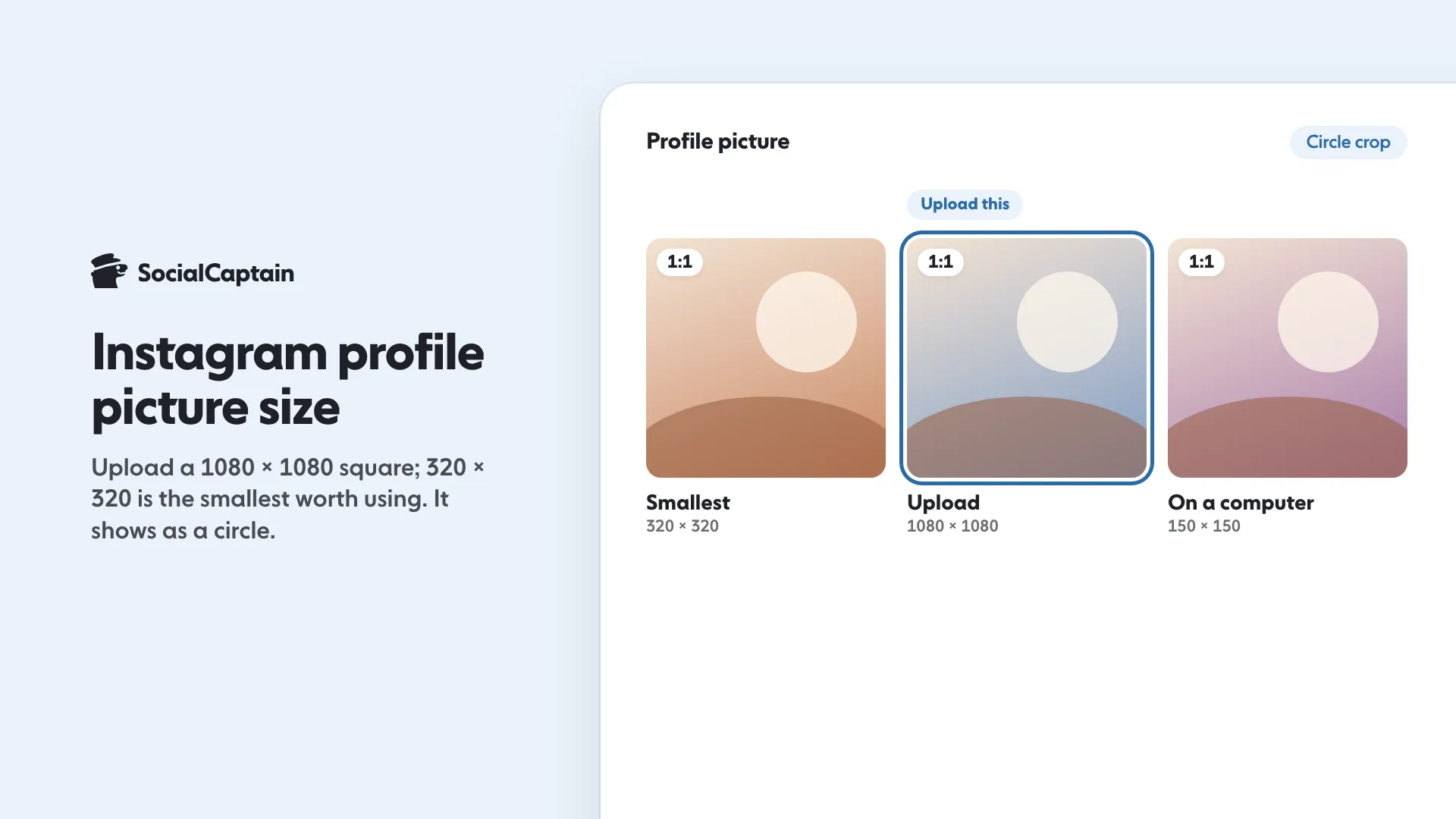
Instagram publishes no official profile picture size. Upload a sharp square of 1080 x 1080 pixels, with 320 x 320 as the smallest worth using; Instagram crops it to a circle, and one measurement found it shown at only 32 pixels next to comments.
- Keep the face or logo centered with a 15 to 20 percent margin.
- Use a logo mark or letter, not a wide wordmark.
- Change it: Edit profile, then Edit picture or avatar.
On this page7 sections
Instagram does not publish a pixel size for profile pictures, so the safe choice is a sharp square of 1080 x 1080 pixels, with 320 x 320 as the smallest worth uploading. Instagram crops the square to a circle and shows it small: one measurement on instagram.com found 150 pixels on a computer, 96 in a phone browser and 32 next to posts and comments. This guide covers the size, the circle crop and the steps to change the picture.
What is the Instagram profile picture size?
Instagram’s help article on adding or changing a profile picture gives the steps and no size, shape or file limit. That is why guides disagree. The figure most of them repeat, 320 x 320 pixels, does not come from an Instagram profile rule. It matches Instagram’s rule for feed photos, which are enlarged to a minimum width of 320 pixels, and the size Facebook gives for a Page profile picture.
So use this:
| Setting | What to use |
|---|---|
| Upload size | 1080 x 1080 pixels (our recommendation) |
| Smallest worth uploading | 320 x 320 pixels |
| Shape | Square, 1:1 |
| File type | JPG, or PNG for flat-colour logos |
| Shown as | A circle cut from the middle |
The 1080 pixels match the largest width Instagram uses for feed photos, and the file stays small either way. Going bigger buys nothing, because Instagram shows a much smaller copy: the measurement below found a 150 x 150 pixel file on instagram.com. The free Instagram photo resizer crops a photo to the ratio you pick, with a circle preview.
How big does a profile picture appear on Instagram?
Instagram does not publish display sizes. A September 2026 measurement on instagram.com, logged out, found these:
| Where | Shown at |
|---|---|
| Profile header on a computer | 150 x 150 pixels |
| Profile header in a phone browser | 96 x 96 pixels |
| Suggested accounts | 92 x 92 pixels |
| Next to posts, captions and comments | 32 x 32 pixels |
The app may use other sizes. The pattern is the same everywhere: people mostly see your picture very small, beside a post or a comment. Design for the 32-pixel version, since that is where your face or logo works hardest.
How does the circle crop work?
Instagram shows the picture as a circle cut from the middle of your square, so the four corners, about a fifth of the image, never show. Three rules follow:
- Keep the subject in the middle. Leave a margin of 15 to 20 percent so nothing is clipped.
- Use the mark, not the wordmark. A wide logo shrinks to fit the circle and becomes unreadable at 32 pixels. Use the symbol, or the first letter, on a plain background.
- Put logos on a solid colour. Transparent areas may show as a flat colour, so place the logo on your brand colour before you upload.
When you have an active Story, a coloured ring is drawn around the picture, so a thin edge detail can be lost.
Round covers for your Highlights follow the same logic. The free Instagram highlight cover maker lets you preview a circular crop, and the bio generator helps with the text that sits next to the picture.
How do you change your Instagram profile picture?
In the app:
- Open your profile and tap Edit profile.
- Tap Edit picture or avatar.
- Choose where the picture comes from, then pinch and drag it to fit the circle.
- Tap Done.
On a computer:
- Open instagram.com and go to your profile.
- Click Edit profile, then Change photo.
- Choose Upload photo and select the file.
You can also change it in Accounts Center, under Profiles, since Instagram is moving accounts there, so the path you see may differ. Menu names change between app versions, and your picture is public: anyone can see it, even without an Instagram account.
Why does my profile picture look blurry?
The cause is rarely the app. Check these in order:
- The source was small. A screenshot, a tiny logo or a crop of a corner of a group photo gets enlarged, and it looks soft. Start from a sharp original and crop tight to the face or mark.
- The subject is too small in the frame. At 32 pixels a full-body shot becomes a blob. Fill the circle with the face or symbol.
- You are looking at the web version. On a computer, instagram.com may show the picture from a smaller file than the app uses, so the same photo can look crisper on your phone.
What makes a good profile picture?
Think of the picture as the smallest ad you run. It should read at 32 pixels, contrast with both light and dark backgrounds and match what you post. A few habits help:
- One clear subject. A face, a product or a single mark.
- High contrast. A light face on a light background disappears.
- The same picture everywhere, so people who find you on another platform recognise you.
- A review each season, using your Insights to see whether profile visits change after you swap it. Instagram Insights: 9 Metrics to Track and What They Mean shows where to look.
The picture sits above your bio and username, so it works as a set. How to Write an Instagram Bio: 5-Step Formula and Limits covers the words, and How to Change Your Instagram Username in 6 Steps covers the handle. People who find you through Explore see the picture first, so Instagram Explore Page: How It Works and 6 Ways to Appear is worth a read. Sizes for posts are in Instagram Post Size: 4 Formats and Dimensions for 2026, and for cleaning up your grid, How to Archive an Instagram Post: 3 Steps and Restore shows how to hide older posts without deleting them.
A strong picture turns a visit into a follow only if there is a profile worth following. SocialCaptain’s plans bring real followers matched to your niche, so the profile is ready for them when they arrive.
FAQ
What is the best Instagram profile picture size?
Instagram publishes no pixel size for profile pictures. Upload a sharp square of 1080 x 1080 pixels, and anything from 320 x 320 up works as long as it is square.
Is 320 x 320 the official Instagram profile picture size?
No. Instagram’s help page on profile photos gives no size. The figure matches Instagram’s minimum width for feed photos and the size Facebook gives for a Page profile picture.
Why does my Instagram profile picture look blurry?
Usually the upload was small, a screenshot or a tight crop of a larger photo. Start from a sharp square of 1080 x 1080 with the subject large. On a computer, instagram.com may also serve a smaller file than the app does.
How big is a profile picture on Instagram?
It is shown as a circle. One measurement on instagram.com in September 2026 found 150 pixels on a computer, 96 in a phone browser and 32 next to posts and comments. Instagram does not publish these sizes.
Can anyone see your Instagram profile picture?
Yes. A profile picture is public, so anyone can see it, even without an Instagram account.
Related guides
Formats and sizes
Instagram Post Size: 4 Formats and Dimensions for 2026
Bio and captions
How to Change Your Instagram Username in 6 Steps
Bio and captions
How to Write an Instagram Bio: 5-Step Formula and Limits
Written by Clara Ivens
Instagram growth editor
Clara Ivens covers Instagram growth on the SocialCaptain blog: followers, Reels, hashtags, bios, captions and how reach works. Each guide follows Instagram's own help pages and announcements, and lists its sources at the end.
All articles by Clara Ivens


