TikTok Aspect Ratio: 1080x1920 Size and 5 Safe-Zone Rules
Quick answer
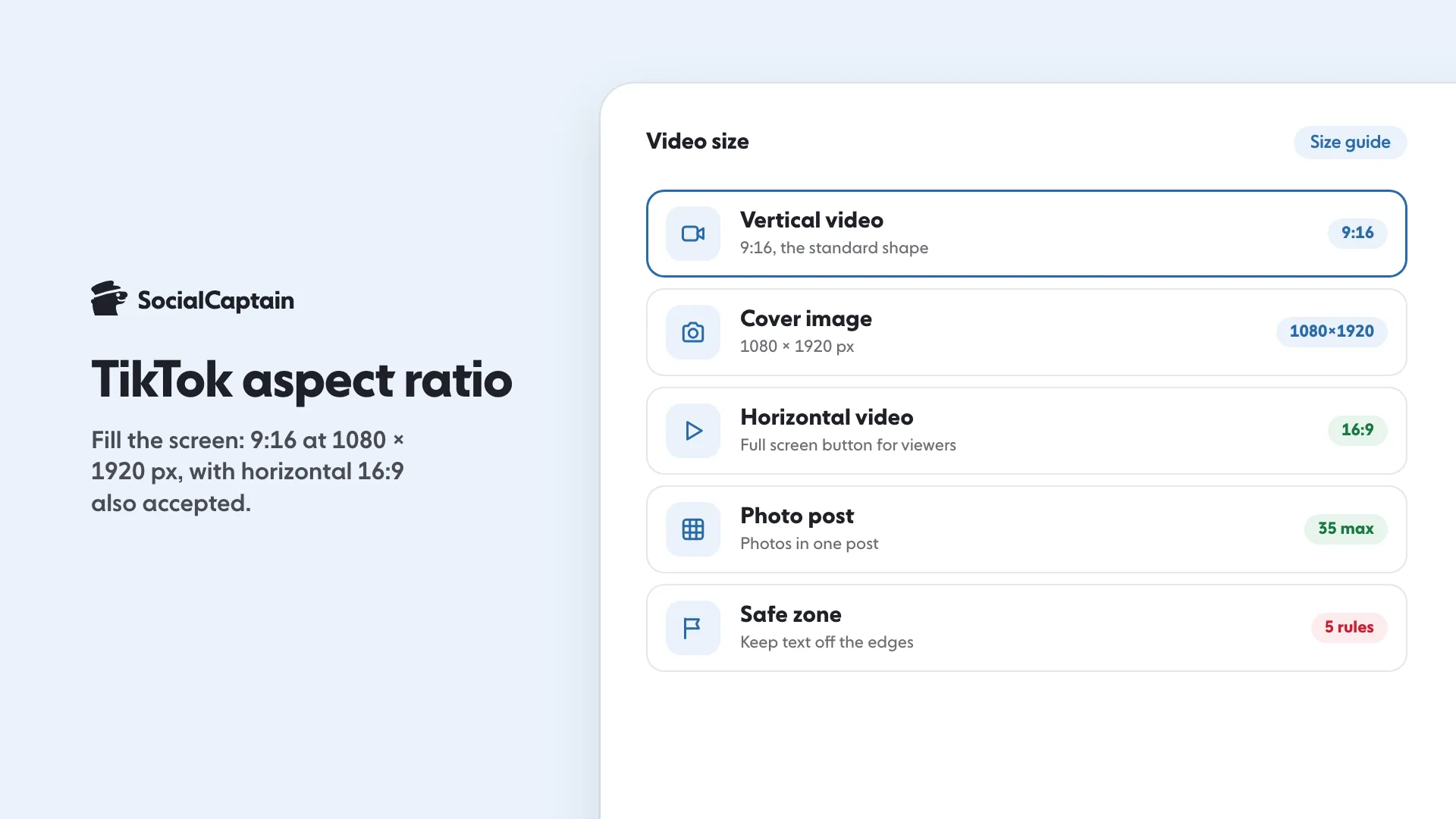
The TikTok aspect ratio is 9:16, a tall vertical frame, at 1080x1920 pixels. TikTok recommends that size for covers, and its in-feed ads list 9:16 with a minimum of 540x960 pixels.
- Horizontal video is accepted; viewers can tap to view it full screen.
- Keep text and your subject away from the frame edges.
- A photo post holds up to 35 photos.
On this page9 sections
The TikTok aspect ratio to use is 9:16, a tall vertical frame, at 1080x1920 pixels. TikTok’s Creator Academy gives that size for covers and for the best results, and its ad specifications list 9:16 as the recommended shape with a minimum of 540x960 pixels. Horizontal video is also accepted, as long as it fills the screen with no bars. This guide gives the sizes TikTok publishes in one table and 5 safe-zone rules for placing text and your subject. Every figure comes from TikTok’s Help Center, Creator Academy, creator portal or business help pages, read on 11 November 2026.
What are the TikTok video size and aspect ratio?
TikTok’s Help Center does not publish one required size for ordinary videos. These are the numbers it does publish, and what each one applies to:
| Item | Size or ratio | What it applies to |
|---|---|---|
| Cover image | 9x16 ratio, 1080x1920 pixels | Creator Academy’s advice for custom covers |
| Vertical video | 9:16, at least 540x960 pixels | In-feed ads, where vertical is the recommended shape |
| Horizontal video | 16:9, at least 960x540 pixels | In-feed ads |
| Square video | 1:1, at least 640x640 pixels | In-feed ads |
| Video quality | 1080p or higher | Creator Rewards Program content |
| Desktop upload | Up to 60 minutes, 720p or higher, up to 10 GB | TikTok Studio on desktop, per Creator Academy |
| Photo post | Up to 35 photos | Photo posts in the app |
The ad figures are minimums for paid In-Feed ads, not a rule for what you post organically. Use them as a floor. If you are making a normal video, aim for 1080x1920 and you stay well above every minimum in the table.
Is vertical or horizontal better?
TikTok’s Creator Academy says vertical is good and horizontal is good: the blurry bars are the problem, not the shape of the video. Its advice is to pick one shape and let it fill the screen, whether that is a tall vertical frame or a wide horizontal one.
Horizontal videos have a feature built for them. In its guide to longer videos, TikTok says uploaded horizontal videos automatically show a view full screen button, and that your video should be truly landscape, with no text overlaid in the margins. For short clips aimed at the For You feed, vertical is still the shape that fills a phone screen without any action from the viewer. If you also publish on Instagram, the same vertical frame works there; see Instagram Reels size: 1080x1920 and the safe zone for Instagram’s own numbers.
What are the 5 safe-zone rules?
TikTok describes the safe zone as the area of your frame that is not covered by For You feed elements such as buttons, your name and your caption. It does not publish exact pixel margins on the pages we read, so these rules follow its written guidance rather than invented measurements.
Rule 1: Keep important elements off the edges
The Creator Academy’s simplest rule is to avoid placing elements around the edges of your frame. Faces, product names, prices and logos belong toward the middle.
Rule 2: Leave room for buttons, your name and your caption
Feed buttons, your username and the caption cover part of the picture. Do not put the one thing viewers must read in the zone where those elements sit.
Rule 3: Keep your subject centered
For videos where you are the subject, TikTok advises centering the cover around you and positioning people and objects well in the frame, not too close up and not too far away.
Rule 4: Size text for a phone screen
Creator Academy says regular text in videos usually fits well at a 40 to 50 pixel font size, so a short video title should be larger. Pick one font and readable colors for the whole account.
Rule 5: Do not put text in bars or margins
TikTok warns that text placed in black or blurry bars covers the one thing people came to watch, and its horizontal-video advice says to keep text out of the margins. Put words inside the picture instead.
If you post the same video to Instagram, the Reel safe zone checker shows where Instagram’s own buttons sit. Check TikTok’s layout separately, because the two apps place their buttons differently.
How do you fix a video that has bars?
If your footage is wide but you want a vertical video, TikTok’s guidance has three fixes:
- Crop in and zoom so the subject fills the screen, with no bars and no empty space.
- Turn on tracking so your subject stays centered as it moves. In CapCut this is the auto-track tool.
- For gaming, podcasts and reactions, split the screen with your face on top and the gameplay or guest below.
Crop to a full-screen 9:16 vertical frame and add native elements such as auto-captions, polls and comment replies, so the clip feels made for the platform. TikTok also suggests running a frame test on your last post: if you see a blurred band or black bars, crop into the subject until it fills the frame and repost.
What size should a TikTok cover be?
Use the same 9x16 ratio at 1080x1920 pixels. Your video covers appear on your profile grid, which Creator Academy calls a major traffic source, so a clear picture, readable text and a consistent template make the account easier to recognize. To upload a cover you made earlier, tap the plus button, choose cover editing, then upload local cover.
What upload rules apply on desktop?
When you upload on the TikTok website, the entire video is uploaded; to change its length, TikTok says to upload in the app. TikTok Studio on desktop accepts videos up to 60 minutes long, at 720p or higher and up to 10 GB, according to Creator Academy. Creator Rewards Program videos should be 1080p or higher and longer than 1 minute. Our guide to the TikTok Creator Rewards Program covers the rest of its rules.
How does format affect growth?
A correct size does not make a video popular, but a wrong one costs you attention: viewers scroll past boxes and bars. Format is one part of what the For You feed rewards, alongside watch time and engagement. For the rest, read How the TikTok algorithm works and How to get more views on TikTok. For the matching Instagram sizes, the Instagram post size guide lists every format in one place. If you want real people to see the videos you format well, the TikTok likes page explains how SocialCaptain delivers likes and comments from real accounts.
FAQ
What is the best size for TikTok videos?
TikTok’s Creator Academy recommends a 9x16 aspect ratio at 1080x1920 pixels for the best results on covers, and the Creator Rewards Program asks for videos of 1080p or higher. For ads, TikTok lists 9:16 as the recommended shape with a minimum of 540x960 pixels.
What is the TikTok aspect ratio?
The standard shape is 9:16, a tall vertical frame that fills a phone screen. TikTok also accepts horizontal video, which viewers can open in full screen, but its own guidance is to pick one shape and fill the frame.
Can you post horizontal videos on TikTok?
Yes. TikTok says it is not only for vertical videos: in its guide to longer videos, uploaded horizontal videos show a view full screen button. The video should be truly landscape, with no text placed in the margins.
What size should a TikTok thumbnail be?
TikTok’s Creator Academy says to use a 9x16 aspect ratio and 1080x1920 pixels for a custom cover. Keep text and the main subject away from the edges, because feed buttons and captions cover part of the frame.
How many photos can you add to a TikTok photo post?
TikTok’s Help Center says you can add up to 35 photos to a photo post. You can add a filter, sound, text and stickers, and crop each photo in the app.
What is the TikTok safe zone?
It is the part of the frame that is not covered by For You feed elements such as buttons, your name and your caption. TikTok’s advice is to avoid placing important elements around the edges of the frame.
Sources
- TikTok Auction In-Feed Adsads.us.tiktok.com
- Making a post | TikTok Help Centertiktok.com
Related guides
Formats and sizes
Instagram Post Size: 4 Formats and Dimensions for 2026
Formats and sizes
Instagram Story Size: 1080 x 1920 and the Safe Zone
Formats and sizes
How to Repost on Instagram: 4 Ways With the Repost Button
Written by Luca Fenwick
TikTok editor
Luca Fenwick covers TikTok on the SocialCaptain blog: followers, views, the For You feed, bios, video formats and the creator programs. Each guide follows TikTok's own help pages and announcements, and lists its sources at the end.
All articles by Luca Fenwick


