Instagram Story Size: 1080 x 1920 and the Safe Zone
Quick answer
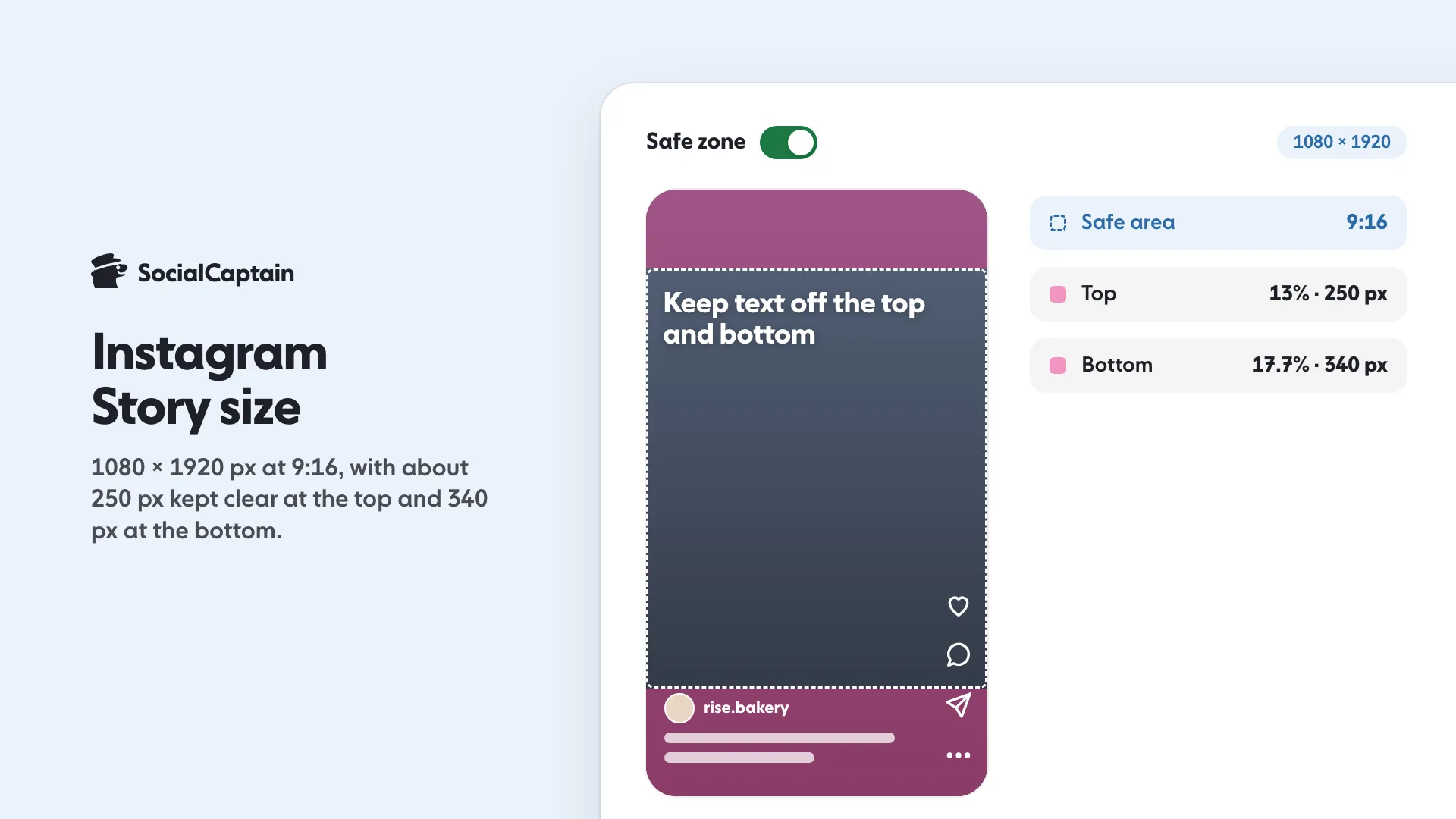
An Instagram Story is 1080 x 1920 pixels, a 9:16 vertical. Keep text and logos out of roughly the top 250 and bottom 340 pixels, where Instagram draws its own buttons; these are working figures, as Instagram publishes no official margin for organic Stories.
- Export JPG or PNG at 1080 pixels wide
- A 4:5 feed photo gets cropped or sits in bands
- Place stickers first, then write the text around them
On this page8 sections
An Instagram Story is 1080 x 1920 pixels, a 9:16 portrait, and the part that matters is the safe zone: keep text and logos out of roughly the top 250 pixels and the bottom 340 pixels, because Instagram draws its own interface there. Four mistakes account for almost every Story that looks broken: text in the top margin, text in the bottom margin, an image in the wrong ratio, and a sticker sitting on top of the words.
What size is an Instagram Story?
1080 pixels wide and 1920 pixels tall. That is a 9:16 canvas, the shape a phone screen has when you hold it upright. Every Story and Reel uses it, so one vertical file works for both.
| Format | Pixels | Ratio |
|---|---|---|
| Story or Reel, full screen | 1080 x 1920 | 9:16 |
| Story, safe area for text | 1080 x 1330 | Not a full frame: 250 off the top, 340 off the bottom |
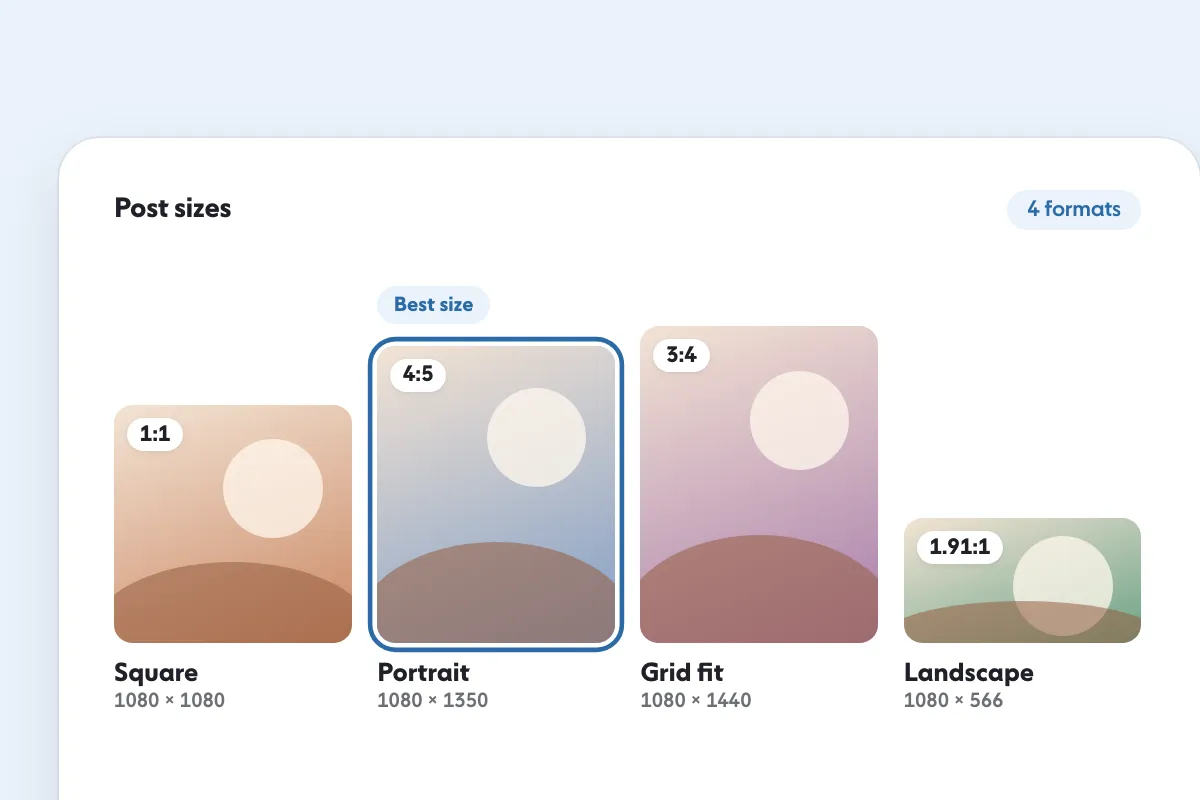
| Portrait feed post | 1080 x 1350 | 4:5 |
| Square post | 1080 x 1080 | 1:1 |
Export at 1080 wide. A bigger file does not look sharper, because Instagram scales it down to that width.
Where is the safe zone?
The safe zone is the middle band of the canvas. Instagram keeps the top for the account name, the progress bars and the close control, and the bottom for the reply bar and the caption field.
- Top margin: about 250 pixels. The progress bars and the account name sit here.
- Bottom margin: about 340 pixels. The reply bar, the message field and the send controls sit here.
- Safe area: the remaining 1080 x 1330 in the middle.
These are working figures, not an Instagram specification: Meta publishes safe-zone margins for Stories ads, and we found none for organic Stories. Always check the frame on a real phone.
The margins are the same for photos and videos, and they do not move when you add stickers. Plan the design in three rows: decoration at the top, meaning in the middle, one call to action just above the bottom margin.
Our free Instagram Reels safe zone checker has a Stories mode that shows the covered areas over your own image before you publish, which is faster than discovering the problem after a few thousand story views.
What file limits apply?
We found no official file-size limit for organic Stories, so treat these as working practice rather than a specification:
- Stills: JPG or PNG. JPG for photos, PNG for graphics with text.
- Width: 1080 pixels. Height 1920 for a full-screen Story.
- Colour: sRGB. A wide-gamut file can shift colour once Instagram converts it.
- Video: export H.264 MP4 at 30 frames per second. It plays everywhere and keeps the file small.
A screenshot is never a good source file. It carries the phone’s own compression, and it may include a status bar across the top margin.
What are the 4 cropping mistakes?
Four problems cover almost every Story that looks wrong on a phone.
1. Text in the top margin
A headline placed high on the canvas disappears behind the account name and the close control. Move it down until the first line starts below the 250-pixel mark, or shrink the text.
2. Text under the reply bar
The bottom margin is where most people write. The reply bar covers it, and the send button sits on top of the last line. Keep the call to action above the 340-pixel mark, not at the very edge.
3. The wrong ratio
A 4:5 feed photo uploaded to a Story either gets cropped at the sides or sits in a band with empty space above and below. A 1:1 square leaves visible bars. Design at 9:16 from the start, or extend the background rather than stretching the photo.
4. A sticker on top of the words
A link, a poll or a question sticker needs room of its own. If it lands on the text, both become unreadable and the tap target covers the message. Place the sticker first, then write around it.
How do Story sizes differ from Reels?
The canvas is the same; the rest differs.
| Story | Reel | |
|---|---|---|
| Canvas | 1080 x 1920 | 1080 x 1920 |
| Overlays | Top and bottom, plus stickers | Right edge buttons and a caption block |
| Life span | 24 hours | Stays on the profile |
| Job | Keep current followers close | Reach people who do not follow you |
| Extra text | Stickers, polls, links | Captions burned in or shown below |
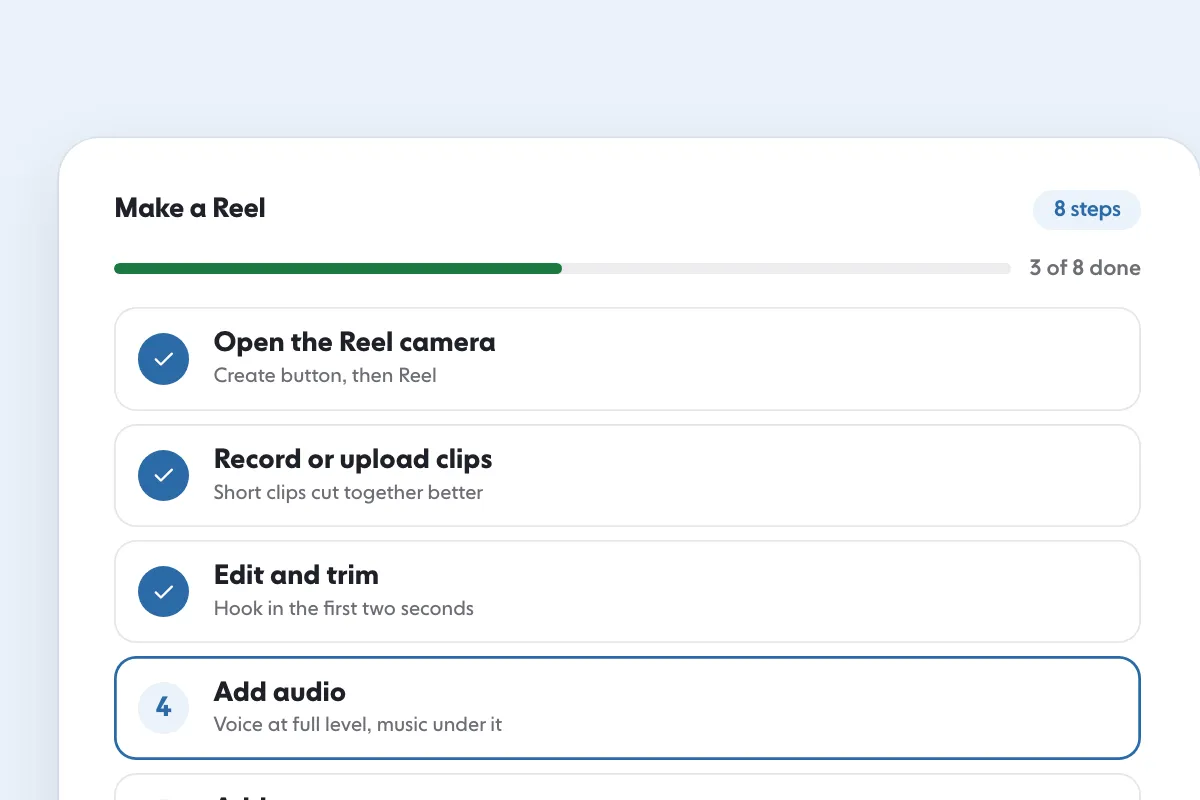
Both are covered at the edges by the interface, so the middle of the frame is the only place that is always visible. If you want the steps for building the video version, read How to Make a Reel on Instagram: 8 Steps, From Clip to Post.
Quick checklist before you publish
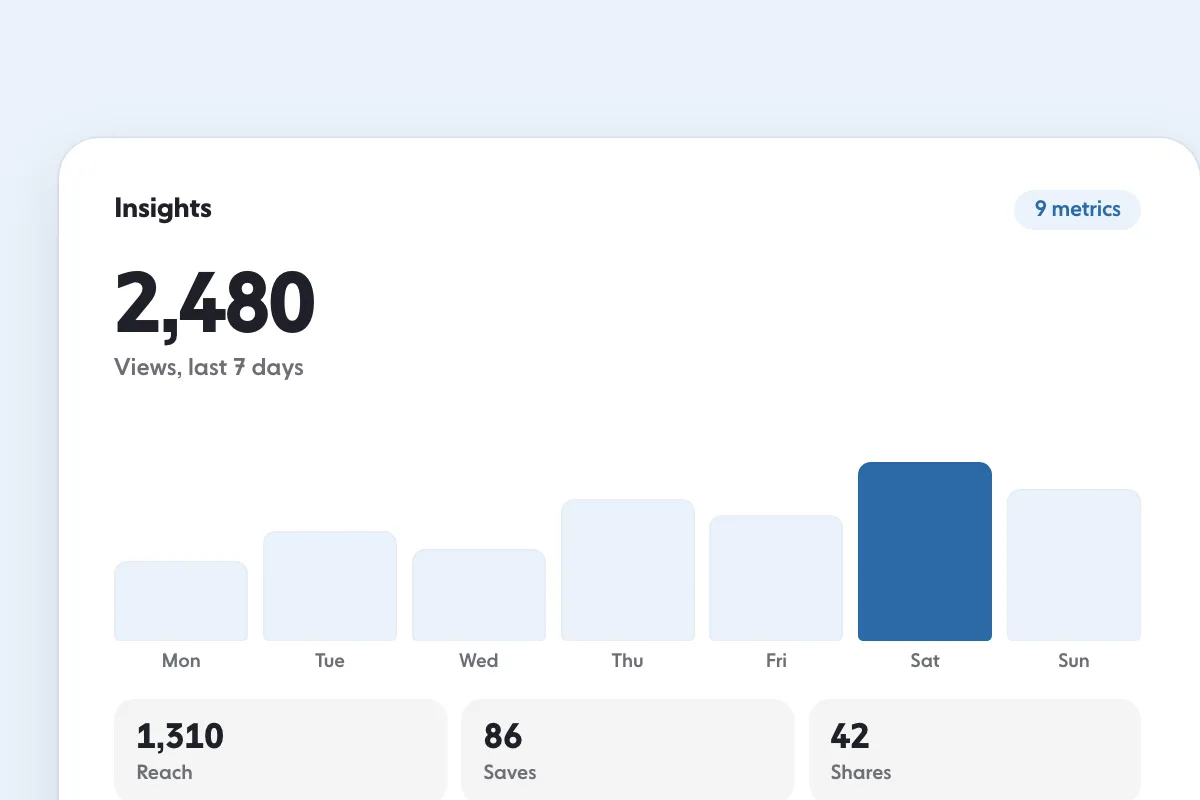
Get the frame right and the Story is readable. Get the content right and people reply, which is what keeps them following. For the numbers behind that, read Instagram Insights: 9 Metrics to Track and What They Mean, and for the feed formats that sit beside Stories, see Instagram Post Size: 4 Formats and Dimensions for 2026.
FAQ
What size is an Instagram Story?
1080 x 1920 pixels, which is a 9:16 portrait. That is the same canvas as a Reel or a TikTok video, so one vertical edit works on all three.
Where is the Instagram Story safe zone?
As a working rule, keep text, logos and faces out of roughly the top 250 pixels and the bottom 340 pixels. The top holds the account name and the close control, and the bottom holds the reply bar, so anything placed there is covered. Instagram publishes no official figure for organic Stories.
What is the best file type for an Instagram Story?
JPG or PNG for stills, exported at 1080 pixels wide. A larger file is reduced to 1080 anyway, so the extra size only slows the upload and increases compression damage.
Do Instagram Stories and Reels use the same size?
Both use a 9:16 canvas, but the interface covers different parts of it. The difference is the overlays and the life span: a Story is a single moment with stickers and links, and a Reel is a video built to be watched to the end.
Why did my Story text get cut off?
Because the text sat inside the top or bottom margin, where Instagram draws its own interface. Story text is not cropped by the file; it is covered by the account name, the close control or the reply bar.
Sources
- Image resolution of photos you share on Instagramhelp.instagram.com
- Share a Posthelp.instagram.com
Related guides
Formats and sizes
Instagram Post Size: 4 Formats and Dimensions for 2026
Written by Clara Ivens
Instagram growth editor
Clara Ivens covers Instagram growth on the SocialCaptain blog: followers, Reels, hashtags, bios, captions and how reach works. Each guide follows Instagram's own help pages and announcements, and lists its sources at the end.
All articles by Clara Ivens


