TikTok Profile Views: Who Sees Yours and How to Turn It Off
Quick answer
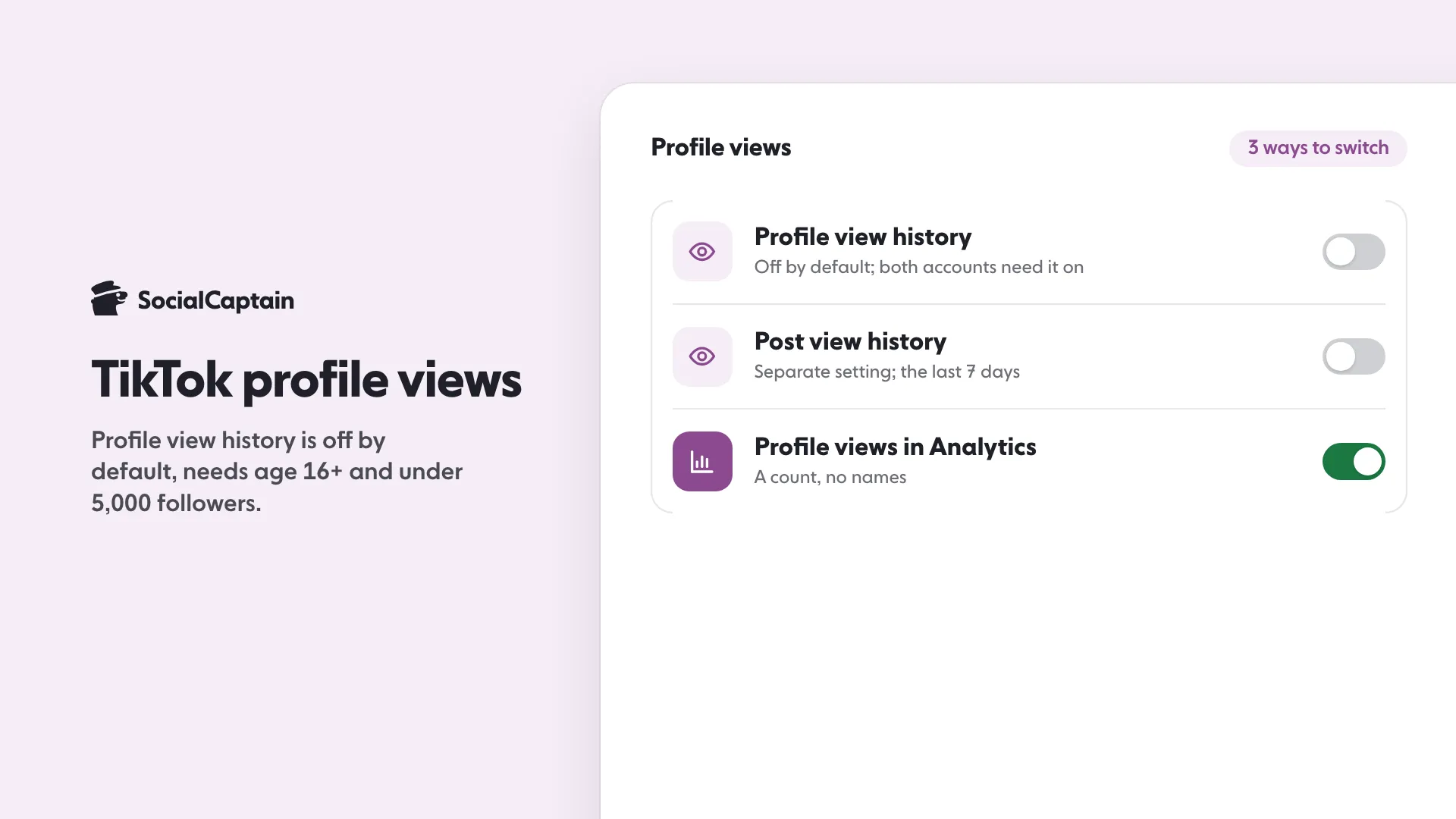
You can see who viewed your TikTok profile only if profile view history is on, you are 16 or older, and you have fewer than 5,000 followers. You see accounts that also have it on and visited in the last 30 days.
- The setting is off by default and can be switched in 3 places.
- Turning it off hides your visits and your view list.
- Larger accounts see a profile views count in Analytics, without names.
On this page8 sections
TikTok profile views come from a setting called profile view history. When it is on, you see which accounts looked at your profile in the past 30 days, but only accounts that also have the setting on, and only if you are 16 or older with fewer than 5,000 followers. The setting is off by default, and there are 3 places in the app to switch it on or off. Turning it off means you cannot see who viewed you and nobody sees that you viewed them. This guide explains the limits, the steps and what you can and cannot see, based on TikTok’s Help Center and Creator Academy, read on 10 November 2026.
Who can see your TikTok profile views?
Profile view history is a two-way setting. It only shows visits between accounts that both have it on:
- You see an account’s visit only if that account has profile view history on and visited in the past 30 days.
- If you visit another account that has the setting on, that account sees your visit.
- You must be 16 or older and have fewer than 5,000 followers to have access.
- The setting is turned off by default.
That is the whole feature. TikTok’s Help Center describes no other way to see the names of people who visited your profile.
How do you turn profile view history off or on?
TikTok gives 3 routes to the same switch. In each one you turn the Profile view history setting on or off.
From your settings
- In the TikTok app, tap Profile at the bottom.
- Tap the menu button at the top, then Settings and privacy.
- Tap Privacy, then Profile views.
- Turn Profile view history on or off.
From your inbox
- Tap Inbox at the bottom.
- Tap Activities, then tap the notification that someone viewed your profile, or tap Profile views. You may need to scroll down.
- Tap the Settings button at the top and turn the setting on or off.
From your profile
- Tap Profile at the bottom.
- Tap the Profile views button at the top.
- Tap the Settings button at the top and turn the setting on or off.
If you never see a Profile views button, the setting is probably not available to you. It is off by default, and accounts under 16 or with 5,000 or more followers do not get it at all.
What can you see and what can’t you see?
| What | Who can see it | What you see |
|---|---|---|
| Profile view history | Accounts under 5,000 followers, aged 16 or older, with the setting on | Names of visitors from the last 30 days who also have it on |
| Post view history | Same limits, separate setting | Followers with the setting on who viewed posts from the last 7 days, plus non-followers who liked or commented |
| Story view history | Separate setting, not changed by the two above | Not covered by these steps |
| Profile views in Analytics | Accounts using TikTok Studio Analytics | A count over 7, 28, 60 or 365 days, with no names |
| Unique and returning viewers in Analytics | Accounts using TikTok Studio Analytics | Counts, plus inferred gender, age and location from predictive models |
The second row has a detail worth knowing. Post view history is a separate setting with its own switch: Settings and privacy, then Privacy, then Post views. Even if you turn it off, your comments and likes on other people’s posts still appear to them as views.
How do you see your profile view count in Analytics?
Analytics shows numbers rather than names. To open it, go to your profile, tap the menu, choose TikTok Studio, find Analytics and tap View all. In TikTok Studio on the web, use the Analytics tab on the left.
The Overview tab shows profile views, post views, likes, comments, shares and estimated rewards for the date range you pick: the last 7, 28, 60 or 365 days, or a custom report. Its Traffic source section shows how viewers found your posts, and the Viewers tab shows unique and returning viewers. TikTok states that the age, gender and location on the Viewers tab are based on predictive models rather than confirmed user data.
What does a profile view tell you?
A profile view means someone opened your page. It sits as a middle step between watching a video and following you, so it is a useful number:
- If post views rise but profile views stay flat, viewers are not curious about who you are. Check your bio, profile photo and pinned videos.
- If profile views rise but followers do not, people look at your page and leave. Check that your first videos match the video that brought them.
- If both rise together, your content and your profile are working together.
TikTok’s Creator Academy calls the share of viewers who follow you the follower conversion rate, and it ties growth to more views plus a better conversion rate. For the other metrics that sit beside profile views, read TikTok Analytics: 9 Metrics to Track and What They Mean. To turn visits into followers, see Free TikTok Followers: 6 Legit Ways and 3 Traps to Skip.
Is there another way to see who visited?
Not that we could find on TikTok’s pages. Be careful with an outside app or site that promises a list of profile visitors. Some ask for your login, and giving your password to an outside tool gives it control of your account. TikTok also prohibits automation tools and scripts designed to bypass its systems.
Instagram works differently: it shows no visitor list at all, only counts and Story viewers. See Who Viewed Your Instagram Profile: 4 Real Options explains what it does show, and the TikTok growth service page shows how SocialCaptain reports on your growth. For the general ways to earn more interaction on any platform, start with How to Get More Likes on Instagram: 9 Changes That Work, and the pricing page lists plans.
FAQ
Can you see who viewed your TikTok profile?
Yes, if you turn on profile view history. You then see accounts that also have the setting on and visited your profile in the last 30 days. The feature is only available if you are 16 or older and have fewer than 5,000 followers.
Why can’t I see profile views on TikTok?
Profile view history is off by default, so it must be turned on first. It is also unavailable to anyone under 16 or with 5,000 followers or more, and you only see visitors who have the setting on too.
Does TikTok tell people when you view their profile?
Only if profile view history is on for both of you. With the setting on, an account that also has it on will see your visit. With it off, others do not see that you viewed their profile.
Do likes and comments show up if profile views are off?
For posts, yes. TikTok says that even if you turn post view history off, your comments and likes on other people’s posts still appear to them as views.
Can an account with more than 5,000 followers see profile viewers?
Not with this feature. TikTok limits it to accounts with fewer than 5,000 followers. Larger accounts can still see how many profile views they get in Analytics, without names.
How many profile views does my TikTok have?
Open TikTok Studio, then Analytics. The Overview tab shows profile views over the last 7, 28, 60 or 365 days or a custom range. It is a count, not a list of names.
Sources
- Profile view history | TikTok Help Centersupport.tiktok.com
- TikTok post view history | TikTok Help Centersupport.tiktok.com
Related guides
Written by Luca Fenwick
TikTok editor
Luca Fenwick covers TikTok on the SocialCaptain blog: followers, views, the For You feed, bios, video formats and the creator programs. Each guide follows TikTok's own help pages and announcements, and lists its sources at the end.
All articles by Luca Fenwick


