How to Calculate Instagram Engagement Rate: 3 Formulas
Quick answer
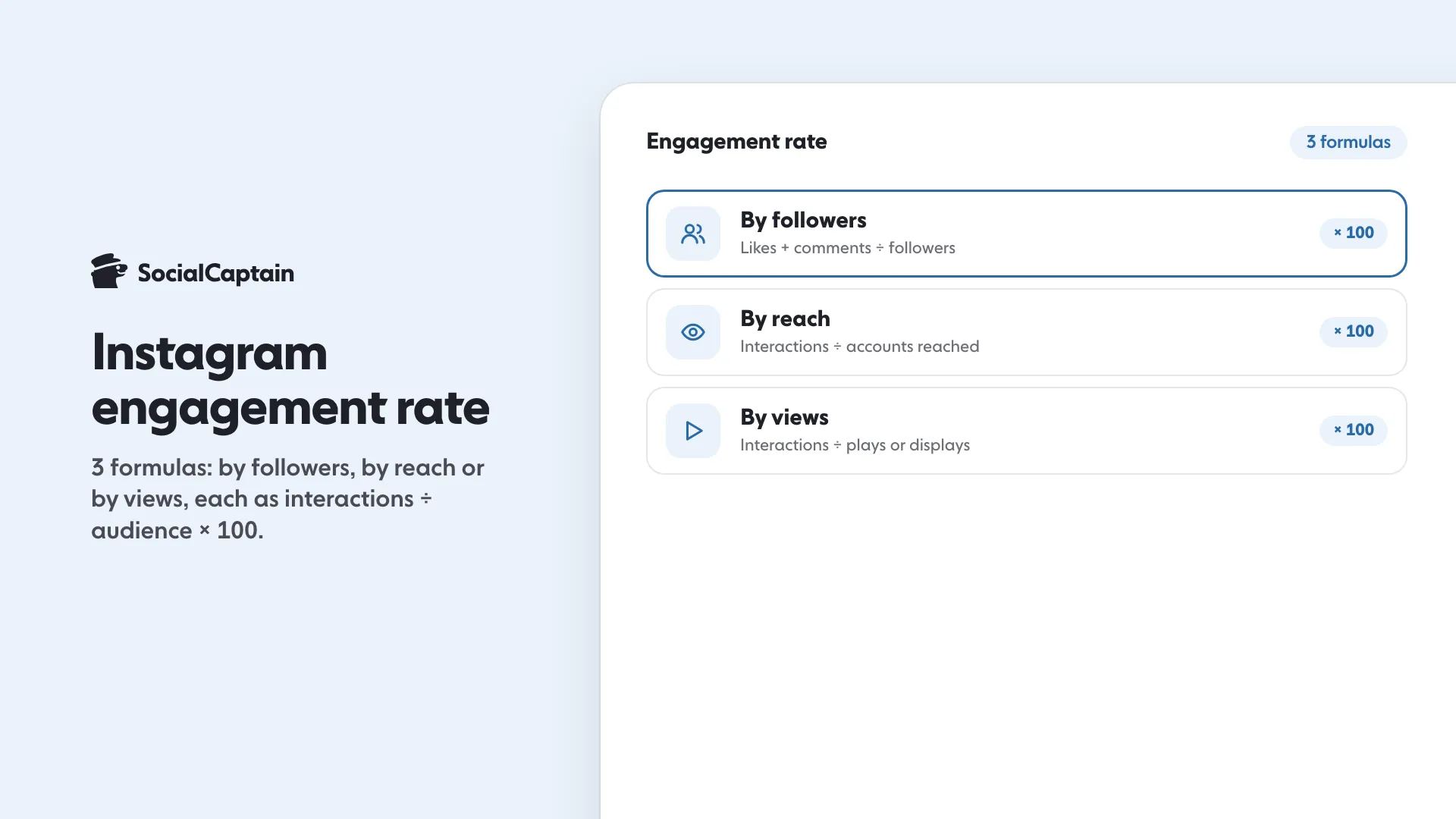
To calculate Instagram engagement rate, divide a post's interactions by an audience number and multiply by 100. Use followers for the simplest comparison, reach to see how well a post held viewers, or views for Reels.
- Example: 200 interactions on 4,000 followers is a 5% rate.
- Keep one definition of interactions; mixing saves breaks comparisons.
- Compare weekly averages over four weeks, not single posts.
On this page8 sections
To calculate Instagram engagement rate, divide the interactions on a post by an audience number and multiply by 100. There are 3 versions, depending on the audience number you pick: followers, reach or views. Followers is the simplest and the one most people compare, reach shows how well a post held the people who saw it, and views suits Reels and video.
What is the Instagram engagement rate formula?
All three formulas share one shape:
Engagement rate = interactions ÷ audience × 100
Interactions are the actions on the post. Most people count likes plus comments. A wider version adds saves and shares, which Insights shows for professional accounts. Pick one definition and keep it, because a rate counted with saves cannot be compared with a rate counted without them.
The audience number is what changes between the formulas. The examples below use made-up numbers for an imaginary account, to show the arithmetic.
How do you calculate it by followers?
Divide interactions by your follower count.
Engagement rate by followers = (likes + comments) ÷ followers × 100
Example: a post has 180 likes and 20 comments, and the account has 4,000 followers. That is 200 ÷ 4,000 = 0.05, so 5%.
Use it when you compare your own posts over time or compare accounts, since follower count is public for everyone. Its weakness is that a post seen by only a fraction of your followers is still divided by all of them.
How do you calculate it by reach?
Divide interactions by reach, the number of unique accounts that saw the post. Insights shows it for professional accounts, and some app versions label that number “Viewers”.
Engagement rate by reach = (likes + comments + saves + shares) ÷ reach × 100
Example: the same post reached 2,500 accounts and had 180 likes, 20 comments, 30 saves and 10 shares. That is 240 ÷ 2,500 = 0.096, so 9.6%.
Use it to judge how well a post held the people who actually saw it. It is not comparable with the follower version, because the denominator is different.
How do you calculate it by views?
Instagram now reports a single metric called views for posts, Reels and Stories. It counts how many times content was played or displayed, so one person watching twice counts twice. Impressions and Reel plays, the older numbers, were folded into it.
Engagement rate by views = (likes + comments + saves + shares) ÷ views × 100
Example: a Reel has 6,000 views and 300 likes, 40 comments, 90 saves and 70 shares. That is 500 ÷ 6,000 = 0.0833, so about 8.3%.
Use it for Reels and video, where one viewer may watch several times. A rate by views is usually lower than a rate by reach for the same post, since views are greater than or equal to reach.
Which formula should you use?
Match the formula to the question:
| Question | Formula | Where the numbers live |
|---|---|---|
| How do my posts compare over time? | By followers | Public likes and comments, follower count |
| Did people who saw it care? | By reach | Insights reach and interactions |
| Is this Reel holding attention? | By views | Insights views and interactions |
Whoever asks you for a rate, for example a partner brand, should say which one they mean. If they do not, tell them which formula you used and give the example above in one line.
What is a worked example, start to finish?
Take one week of five posts for the imaginary account with 4,000 followers: 200, 150, 260, 90 and 300 interactions. The total is 1,000. Average per post is 200. By followers, that is 200 ÷ 4,000 × 100 = 5%.
Repeat each week with the same definition. A single week says little, but four weeks in a row shows direction. If the rate falls while follower count rises, the new followers are not interacting; Instagram Insights: 9 Metrics to Track and What They Mean shows where to look next.
How do you calculate it automatically?
Use the Instagram engagement rate calculator: enter your interactions and audience number and it does the arithmetic. For a full set of numbers across all posts, Instagram Analytics Tools: 7 Metrics Every Tool Should Show lists what a tool should report.
To raise the number once you have it, see How to Get More Likes on Instagram: 9 Changes That Work. If you also want a larger audience that matches your niche to interact with the content, SocialCaptain’s plans add real followers who fit it.
FAQ
What is the Instagram engagement rate formula?
Engagement rate equals interactions divided by an audience number, times 100. Interactions are usually likes plus comments, and the audience is followers, reach or views.
How do you calculate engagement rate by followers?
Add the likes and comments on a post, divide by your follower count and multiply by 100. For 200 interactions and 4,000 followers, the rate is 5%.
How do you calculate engagement rate by reach?
Add likes, comments, saves and shares, divide by the number of unique accounts reached and multiply by 100. For 240 interactions and a reach of 2,500, the rate is 9.6%.
Should saves and shares count as engagement?
They can, and they are worth counting because they take more intent than a like. Whatever you choose, use the same definition every time so your rates stay comparable.
Why is my engagement rate by views lower than by reach?
Views count every play or display, including repeats by the same person, so views are equal to or higher than reach. A larger denominator gives a lower rate.
Related guides
Written by Lena Ashby
Creator business and analytics editor
Lena Ashby covers the business side of Instagram on the SocialCaptain blog: Insights and engagement rates, when to post, content plans and how creators earn. Each article says where its figures come from and lists its sources at the end.
All articles by Lena Ashby


