Instagram Affiliate Marketing: 6 Steps for Small Accounts
Quick answer
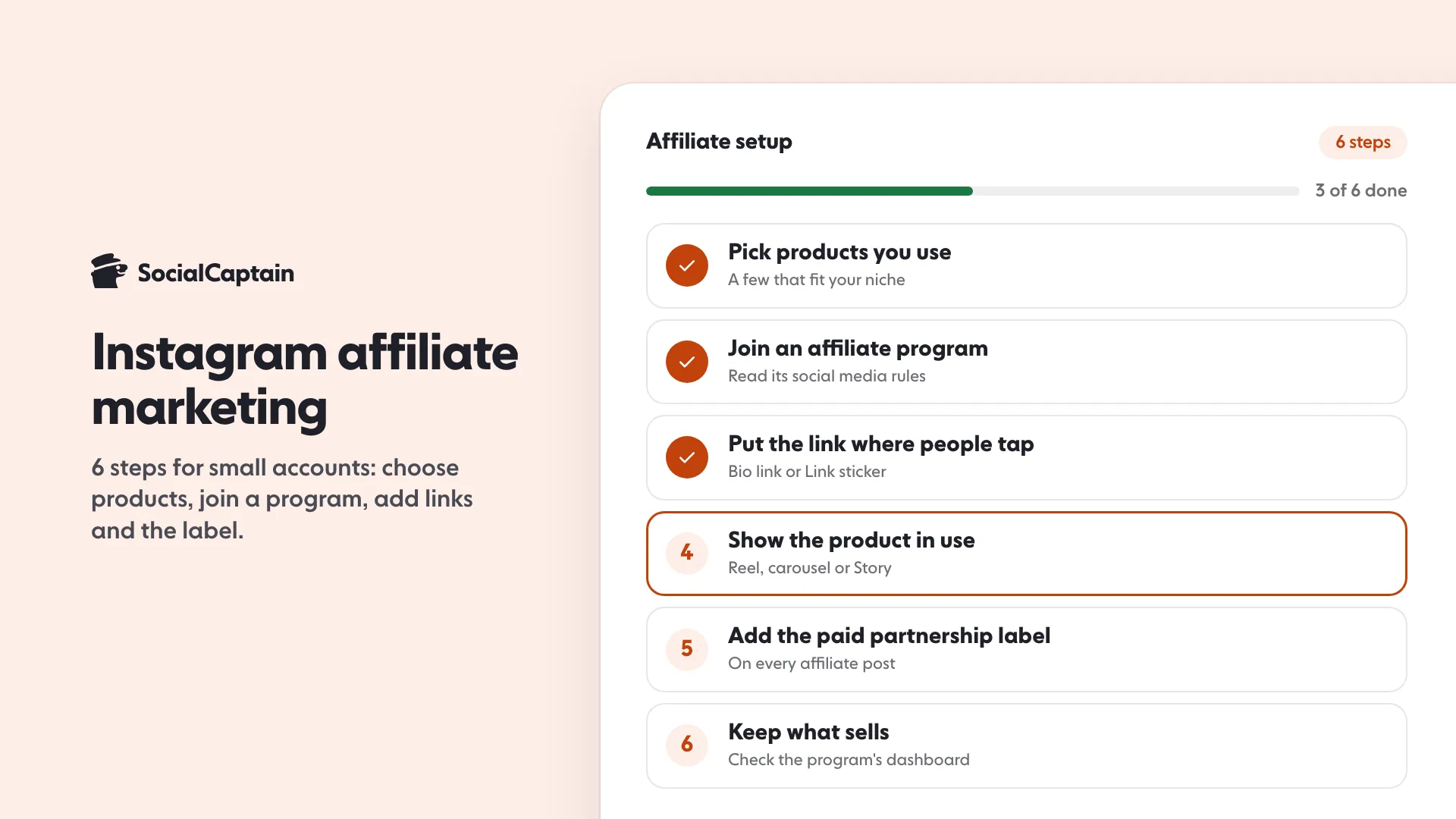
Instagram affiliate marketing means earning a commission when someone buys through your tracked link. Start in 6 steps: pick products you use, join a program, add the link to your bio or Stories, make helpful content, add the paid partnership label and track sales.
- Each affiliate program sets its own rules; Instagram does not run commissions.
- The FTC says a disclosure must be hard to miss, not buried in hashtags.
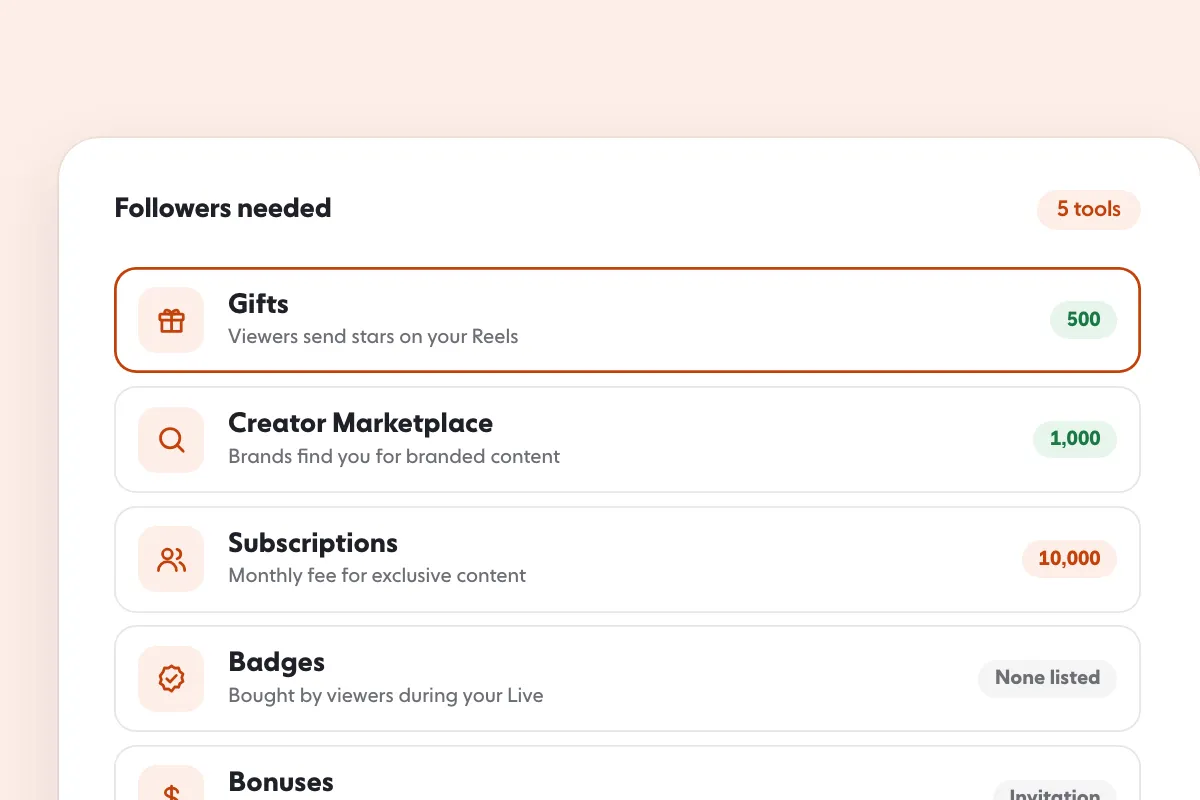
- Instagram sets no follower minimum for affiliate links; Creator Marketplace needs 1,000.
On this page7 sections
Instagram affiliate marketing means earning a commission when someone buys through your tracked link, and you can start it with a small following in 6 steps: pick products you really use, join a program, put the link where people can tap it, post helpful content, add the paid partnership label, and keep what sells. Instagram’s own branded content rules say a post with an affiliate link needs that label, and the FTC says to disclose the connection clearly. This guide covers those rules, where links can go, and a first-sale walkthrough. Facts come from Instagram’s Help Center, Instagram’s creators site and the FTC, read on 11 November 2026.
What is Instagram affiliate marketing?
You promote a product or service. The brand or an affiliate network gives you a unique link. When someone buys through that link, you earn a commission. Instagram is where you share it, but Instagram does not run the commissions: the program does, and each program sets its own terms.
Instagram’s branded content page treats this as a paid relationship. Its example is a person who joins a third-party affiliate program and earns commissions from affiliate links on posts or reels. For that case Instagram’s answer is to use the paid partnership label, because posts featuring affiliate links earn commissions on sales and constitute an exchange of value. Posting content about your own products is different: that is not branded content, although you remain responsible for any legal disclosure obligations.
What are the 6 steps to start?
Step 1: Pick products you actually use
Choose a small set of products that fit your niche and that you can speak about from experience. Followers act on a recommendation they believe, and the FTC reminds influencers that disclosure keeps recommendations honest and truthful.
Step 2: Join an affiliate program
Join the brand’s own program or an affiliate network that lists it. Read the program’s terms before you post, in particular its rules on social media, on how links may be shown and on how it tracks sales. Those rules belong to the program, not to Instagram, and they differ from one to the next.
Step 3: Put the link where people can tap it
Instagram’s help pages give two places:
- Your bio. You can add up to five websites by going to Edit profile and selecting Links, and you can reorder them. Our guide to how to add a link to your Instagram bio walks through it, and the link in bio tool builds a simple page for several links.
- The Link sticker in Stories. Stickers are added by tapping Stickers at the top when you share to a story or record a reel, and Link is in Instagram’s sticker list. Instagram notes that not all stickers are available to everyone or available for reels.
Step 4: Make content that shows the product in use
Show the product doing something. A Reel that demonstrates it, a carousel that compares two options, or a Story that answers a question all work better than a bare link. For ideas, see Instagram Reel ideas and the Instagram carousel guide.
Step 5: Disclose every time
Add the paid partnership label. Instagram says you must do this every time you post branded content. The label is available in Feed, Stories, Live and Reels, and it is added in the Instagram app, not on a computer. To turn it on, go to your profile, tap Menu, then Business tools and controls or Creator tools and controls, then Branded content, then Set up branded content tools. If you are not eligible, you can request a review.
The FTC adds that a disclosure should sit with the endorsement and be hard to miss. It says disclosures are likely to be missed when they appear only on a profile page, at the end of a post, or behind a MORE button, and that you should not mix a disclosure into a group of hashtags or links. For video it says the disclosure should be in the video, not only in the description.
Step 6: Keep what sells and drop what does not
Check which posts led to sales in the program’s own dashboard. Keep the products and formats that worked, and replace the ones that did not. Instagram’s own numbers on reach help too, and our Instagram insights guide explains where to find them.
What does a first-sale walkthrough look like?
Here is an illustrative example, not a result you should expect. A baker with a small account uses the same stand mixer every week and joins the manufacturer’s affiliate program. She posts a Reel of a bread dough coming together, says in the first line of the caption that the link earns her a commission, adds the paid partnership label, puts the program link in her bio, and tells viewers in the Reel to tap the link in her bio. A viewer asks a question in the comments, she answers it in a Story with the Link sticker, and a sale shows up in the program’s dashboard. Each step above appears once, and nothing in it depends on follower count.
Do you need a big following?
Not for affiliate links. Instagram’s creator marketplace is different: its page says creators must be 18 or older and have a public creator or business account with 1,000 or more followers. That is for brand partnerships found through Instagram, not for joining an affiliate program. The route is covered in how to get brand deals on Instagram.
Where do affiliate links fit in your income?
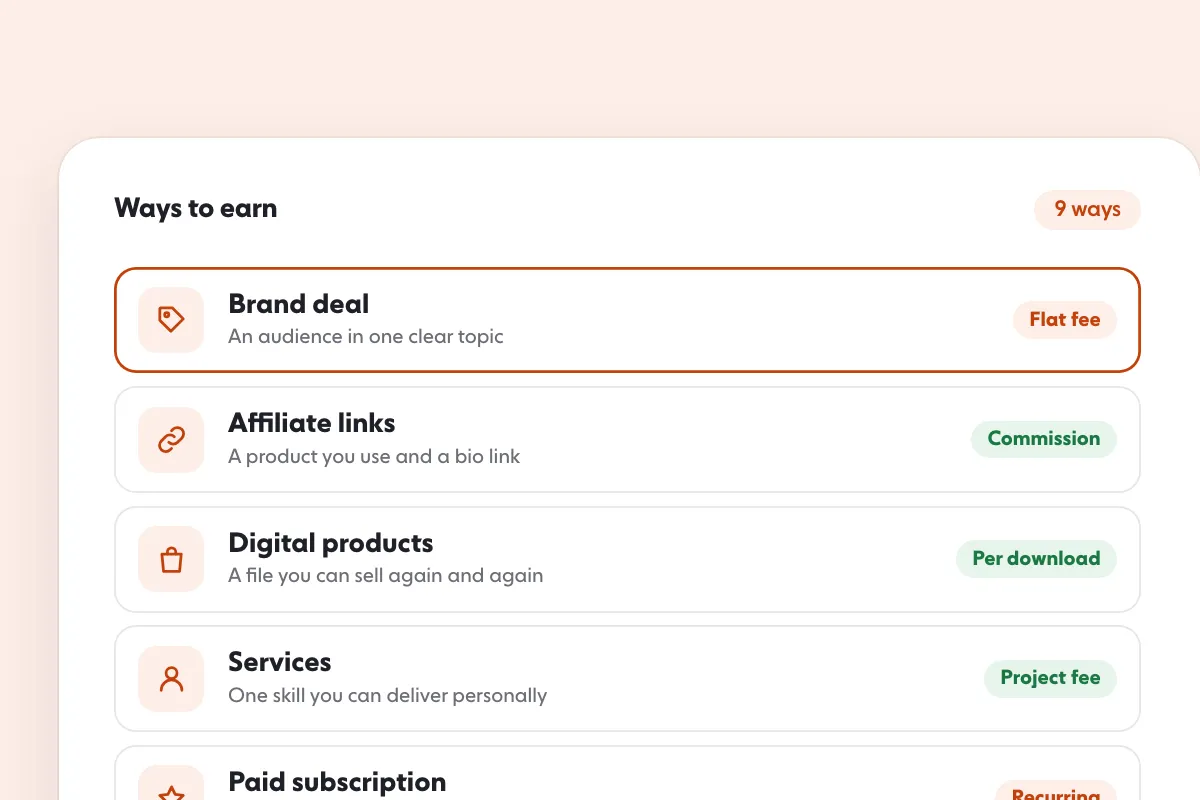
Affiliate commissions are one of several ways to earn. Branded content through Instagram’s creator marketplace is another, and our Instagram monetization guide compares them, with how to make money on Instagram as the starting point. Whatever the route, a larger and more engaged audience helps. To grow one with real people who match your niche, see the Instagram followers page and pricing.
FAQ
Can you do affiliate marketing on Instagram with a small following?
Yes. Affiliate programs are run by the brand or network, not by Instagram, and each one sets its own rules for who can join. Read the program’s terms first, and note that Instagram’s branded content tools have their own eligibility requirements.
Do you have to disclose affiliate links on Instagram?
Yes. Instagram’s branded content policies list a post with an affiliate product link as branded content that needs the paid partnership label. The FTC also says to disclose any material connection, such as earning money, clearly and near the endorsement.
Where do you put an affiliate link on Instagram?
Instagram’s help pages describe the link in your bio, where you can add up to five websites, and the Link sticker in Stories. Not every sticker is available to everyone or in Reels, so check your own sticker tray.
Can you use affiliate links in Reels?
You can post a Reel that promotes an affiliate product, and the paid partnership label is available in Reels. Point viewers to your bio link, or use the Link sticker if your account has it for Reels.
Do you need the paid partnership label for every affiliate post?
Yes. Instagram says you must add the label every time you post branded content, and an affiliate link counts because it earns a commission on sales.
How long does it take to make a first affiliate sale?
No source gives a reliable time, and results depend on the product, the program and the audience. Treat the first sale as a test of whether your followers want what you recommend, not as a schedule.
Sources
- What is considered branded contenthelp.instagram.com
- How to use the paid partnership label to tag organic branded content on Instagramhelp.instagram.com
- Get started with branded content on Instagramhelp.instagram.com
- Add a website to your Instagram profilehelp.instagram.com
- Using stickers on Instagramhelp.instagram.com
- Disclosures 101 for Social Media Influencersftc.gov
- Partner With Brands and Earncreators.instagram.com
Related guides
Written by Lena Ashby
Creator business and analytics editor
Lena Ashby covers the business side of Instagram on the SocialCaptain blog: Insights and engagement rates, when to post, content plans and how creators earn. Each article says where its figures come from and lists its sources at the end.
All articles by Lena Ashby


